

Here we explain how to use the website.
We describe how to use it on a computer.
Things can look a bit different on a mobile phone.
You can see the logo of TraCe at the top of every page.

If you click on the logo,
you go back to the homepage.
You also see this symbol at the top of every page:

This is the easy-to-read symbol.
If you click on it,
you go back to the homepage in easy-to-read language.
You can switch between German and English.

Do you want the page in German?
Click on DE.
Do you want the page in English?
Click on EN.
This works for complex language and for easy-to-read language.
You can see a search box at the top right.

Maybe you can not find something.
Type in the field what you are looking for.
Then press the Enter key.
You can see the main menu at the top of every page.
It looks like this:

The main menu has 6 menu items:
About Us
Research
Publications
Events
Media
News
We now explain what you can find there.
You can find information about TraCe here.
And about the people who work at TraCe.

Here you can find information about the research.
Information in easy-to-read language you can find here:
Research Topics in easy-to-read language.
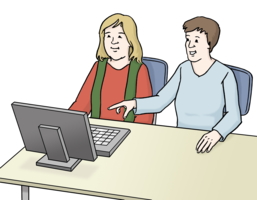
Publications are releases.
For example:
books
journal articles
You can find information about the publications here.
In it, we inform about the results of our research.

You can find information about events here.
For example, about presentations.
Or about meetings of scientists.

Media are, for example:
audio recordings
videos of presentations
comics
press articles
We want to make our research known.
That is why there is a lot of information about it.
We use different media for it.
Here you can find an overview and links.
For example, links to videos.
You can find an overview of all the latest news here.
Do you have any questions?
Then you can call us.
The phone number is:
069 - 959 104 24
You can also send us an email.
The email address is:
trace-transfer@prif.org

Images: © Lebenshilfe für Menschen mit geistiger Behinderung Bremen e. V., Illustrator Stefan Albers
Text: © Werbelektorat Petra Eppig, Büro für Leichte Sprache, Einfache Sprache und Lektorat: https://werbelektorat-im-taunus.de